Product & Solutions
Everything an office does, in your browser.
Desks, voices, meetings, tasks and a break room for any remote or hybrid team. On Premium, Yazan plans each person's day and takes meeting notes, and Sarah keeps leave and answers HR questions.
The office
Take a walk through the office.
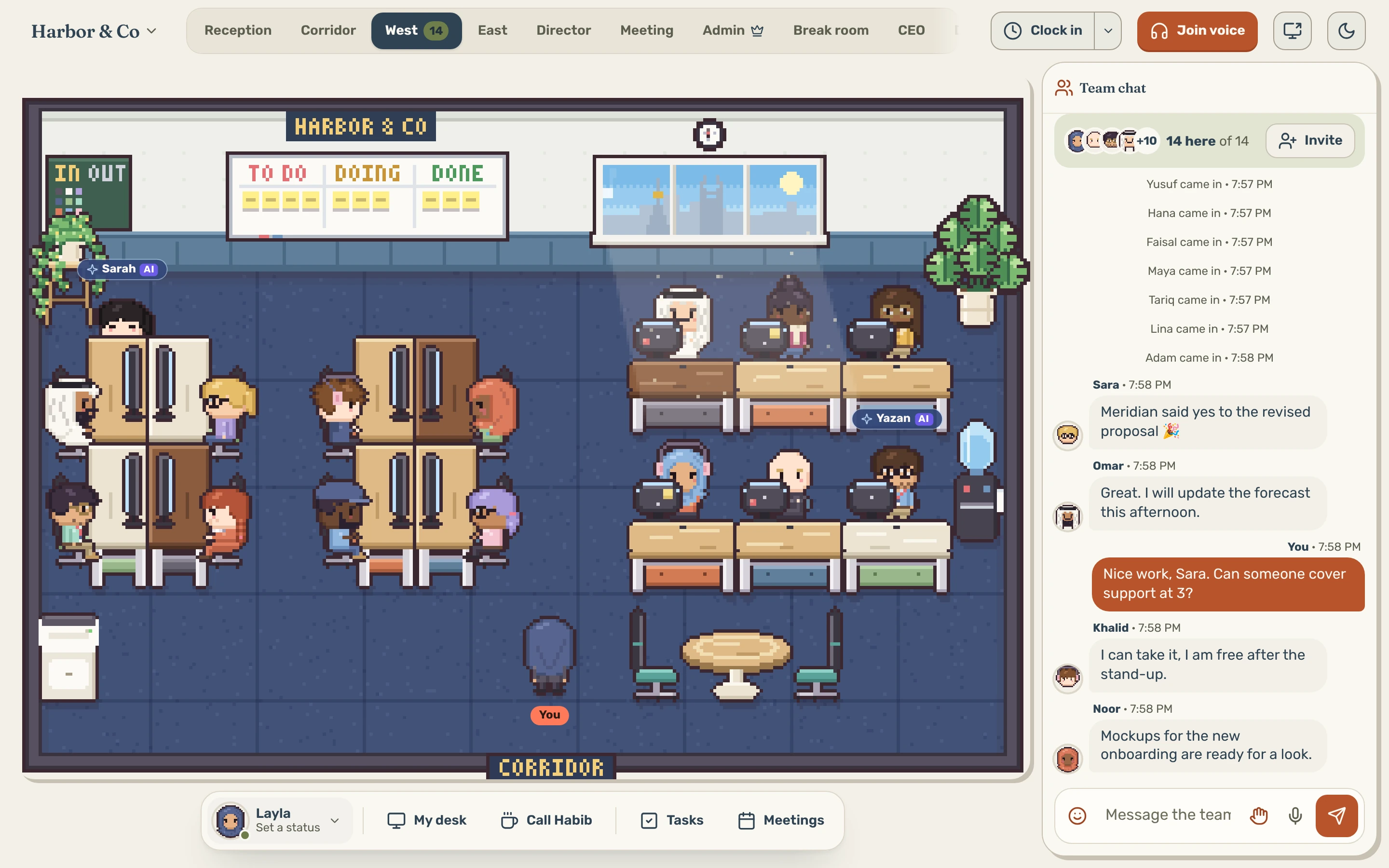
Know who's in, without asking.
The rooms are ready on day one. Sit at your desk and the team sees you working.
- StatusesAvailable, Busy, Focusing, In a meeting or call, Prayer break, Away and more, with a short “working on” line.
- Real roomsThe main floor, a meeting room, private offices with doors you knock on, and a break room.
- Style your deskPick its screen, its lamp and its colour.
- Time clockClock in and out, and see the team on the in/out board.
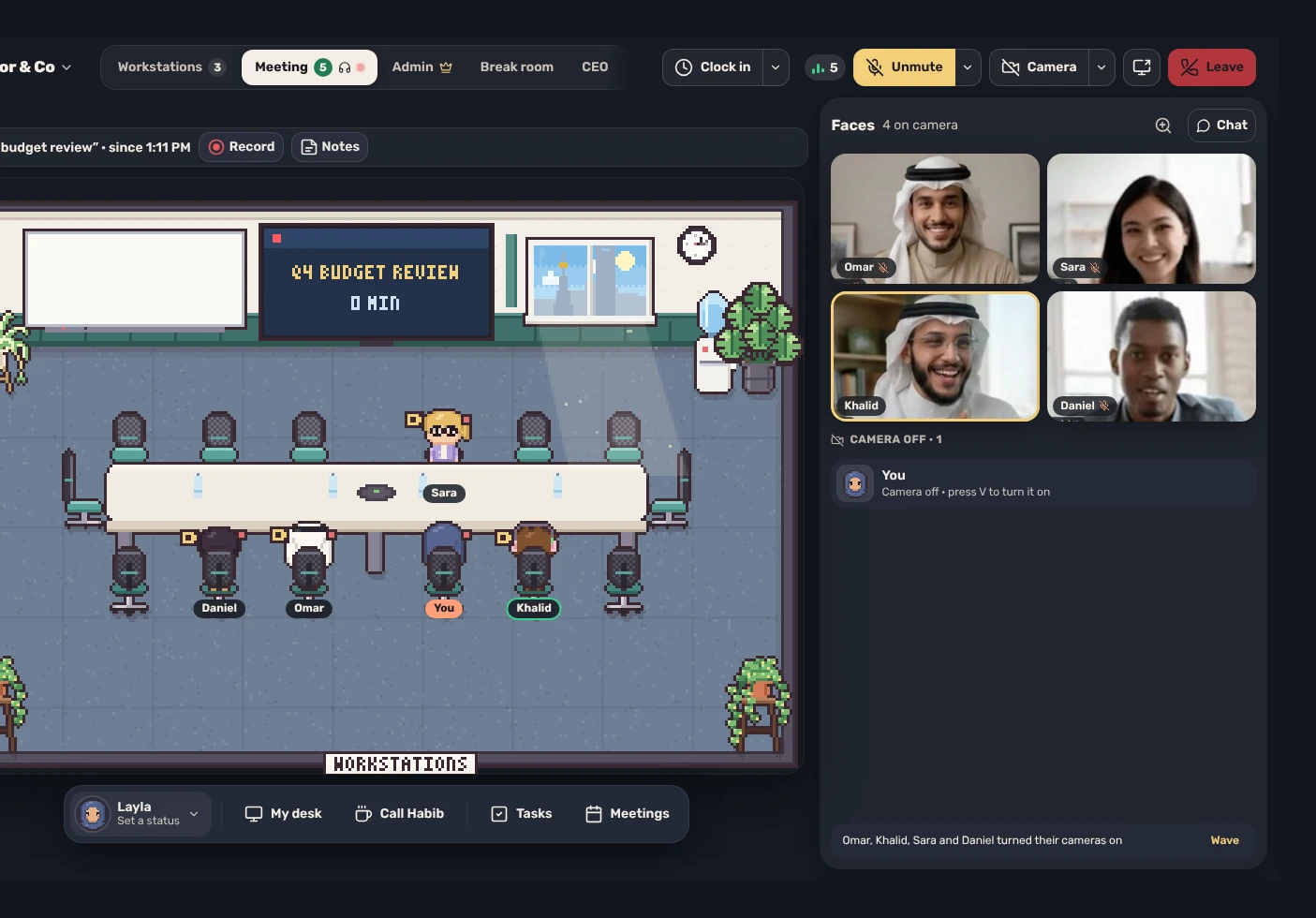
Walk over and talk. No link to send.
Voices come through when you're close. The meeting room adds cameras and a big screen.
- Proximity voiceWalk up to a teammate and talk, as you would at their desk.
- Meeting roomCameras, a big screen, and guests from outside with no account.
- RecordingsWhen the admin allows them. Everyone is told, and anyone can leave their voice out.
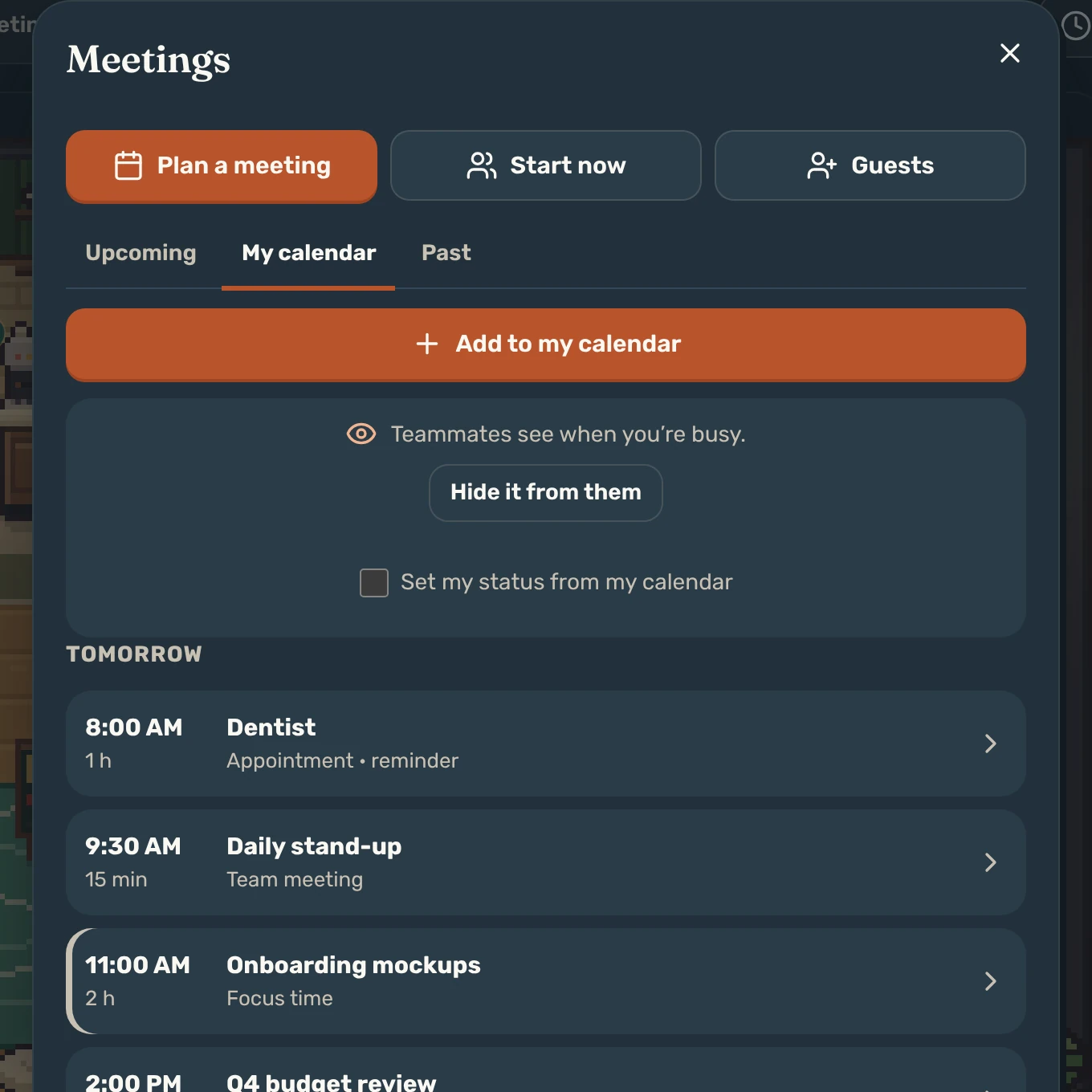
Your day and your team's, side by side.
Plan a meeting or start one now. Times show in each person's own time zone.
- Private by defaultTeammates see when you're busy, never what. Private meetings show only to invitees.
- Invite who you needEach invitee gets a reminder, and the meeting by email for their own calendar.
- Google Calendar & OutlookLink yours: your events show here, and your meetings go there.
- Guests from outsideGive a meeting your team's Google Meet, Zoom or Teams link.
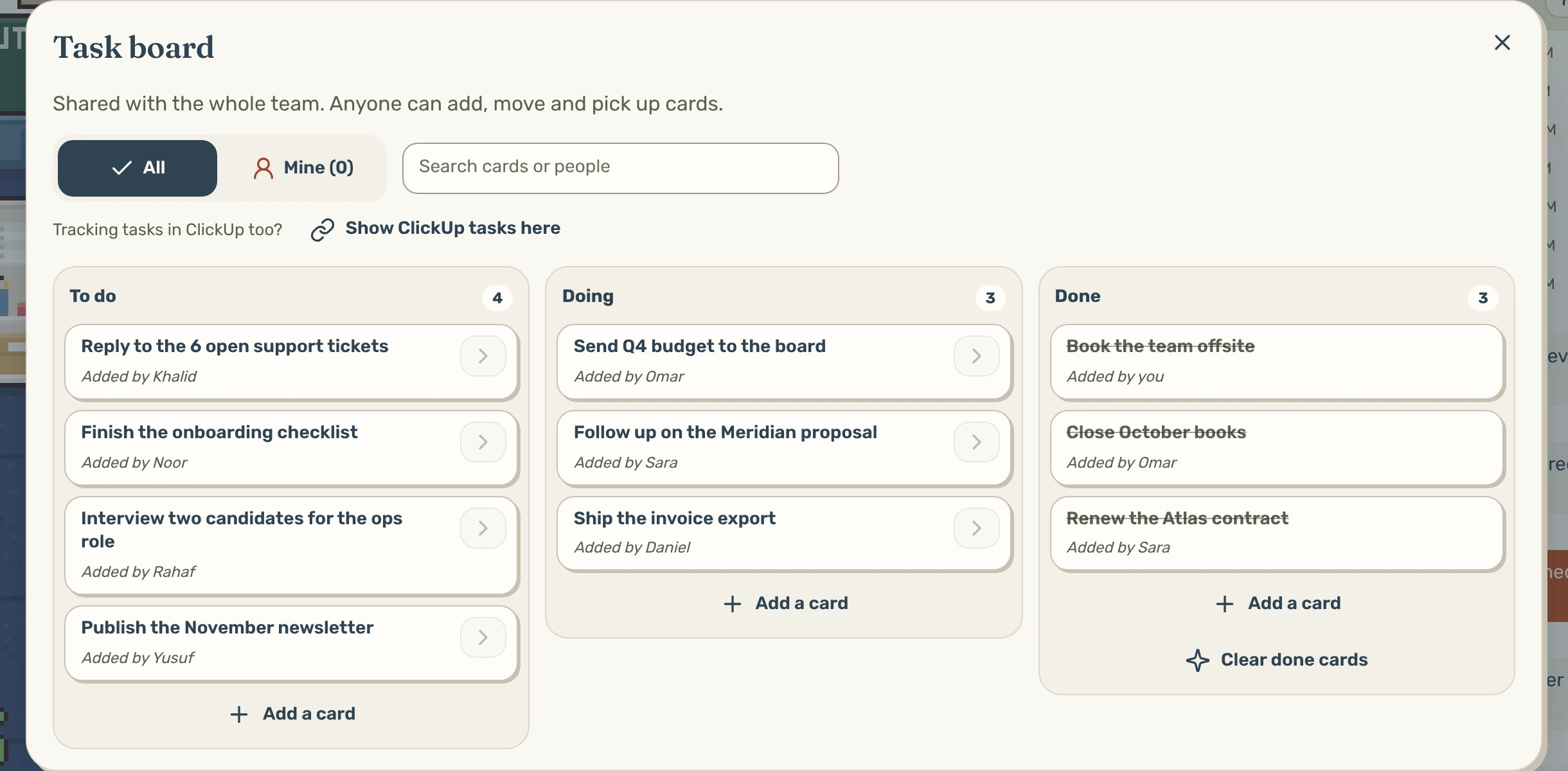
Work stays next to the conversation.
A task board on the wall of the main floor, and a chat that keeps what was said.
- Task boardAnyone can add, move and pick up cards. Search by card or person.
- Synced with ClickUpCards stay in sync both ways. More project tools are coming.
- Team chat & direct messagesWith voice notes, kept for whoever was away.
- Meeting notesDownload any meeting as a Word document, or save each one to Google Drive.
Yazan, the AI assistant · Premium
An assistant who plans, reminds and takes notes.
Type or speak to him. He shows you the exact words before anything is sent, and never reads direct messages.
- Plans your dayYour top three priorities, every working morning.
- Briefs & notesA short briefing before meetings, and notes during them.
- Reminders“Follow up with me on Thursday about the proposal.”
- Tasks & projectsGives tasks, and sets up projects with milestones and owners.
- Notes & messagesPasses notes and posts in chat, only after your yes.
- Focus time30, 60 or 90 minutes with no check-ins.
AI colleague · Premium
Sarah, HR manager
At a desk of her own, reporting to your admin.
Keeps leave in an HR register in your own Google account: requests, balances, documents and records, with answers to HR questions.
Your admin switches Yazan and Sarah on, and sets Sarah's monthly budget.
See Premium pricing →Connections
Connects to Google, Outlook, ClickUp, Discord and more.
Each one is optional. Your admin decides which to connect.

CalendarGoogle CalendarYour events show in the office, and your meetings go to Google.

CalendarOutlookThe same two-way link for teams on Outlook calendars.

MeetingsGoogle MeetGuests join on a Meet link, and Meet can show on the meeting room's big screen.

TasksClickUpThe task board and your ClickUp list stay in sync both ways.

NotesGoogle DriveSave each meeting's notes where the team can find them.

Team updatesDiscordSign in with Discord, get office updates there, or open the office inside a server.
Coming soon More connections on the way:
 Jira
 Notion
 Asana
 monday.com
 Airtable
 Trello
- Smartsheet
 Slack
Sign-in & privacy
Sign-in and privacy you can explain to IT.
The details are on the Security page and in the Privacy notice.
Email & password, or DiscordPlus one-time codes by email and QR sign-in for phones.
Two-step sign-inAn authenticator app, with recovery codes.
No trackersNo ads, analytics or third-party trackers.
Delete your own accountAnyone can, from Settings, with their password.
Strict networksA relay keeps voices connected through company firewalls.
English & ArabicSign-in and sign-up in Arabic, right to left.
Solutions
Stop asking “are you free?”
What changes when a team that works apart shares one office.
-
SpeedToday:
Ask in chat, then wait for a reply.In one office: Ask while they're free.
See who's free, walk over and talk.
-
FocusToday:
Pinged all day, busy or not.In one office: Focus that shows on your desk.
Set Focusing or Do not disturb, and everyone sees it before they come over.
-
AlignmentToday:
Status meetings to learn who's on what.In one office: The week in one place.
The task board, the team calendar and the in/out board, shared by all.
-
Follow-throughToday:
Decisions lost when the call ends.In one office: Notes with names on them.
On Premium, Yazan writes the notes: decisions, action items and owners.
-
Team spiritToday:
Colleagues you only know as names.In one office: Colleagues you've had coffee with.
Your daily stand-up around the office brings you together and keeps you connected as a team.
Open your office and invite the team.
Open your office, invite your team by email and arrange the rooms your way.
Coffee, cards and a little fun.
Make a character that looks like you, including hijab, niqab, ghutra and shemagh, and meet the team on a break.